The find command in Linux is a powerful utility that allows you to search for files and directories within a directory hierarchy based on various criteria, such as name, type, size, permissions, and more. It’s an essential tool for system administrators and users who need to locate files or directories quickly and efficiently.
Common Uses and Examples
1. Search for Files by Name
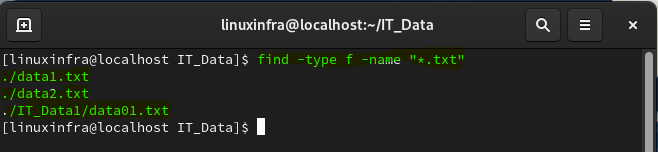
To search for files by their name, use the -name option:

2. Search for Files by Type
You can search for specific types of files using the -type option:
ffor regular filesdfor directorieslfor symbolic links
3. Search for Files by Time
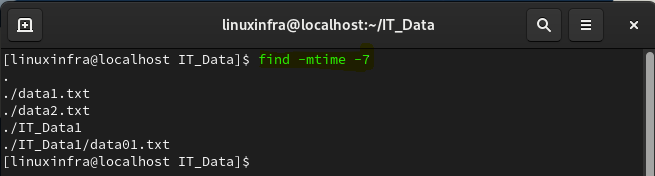
You can search for files based on when they were last modified, accessed, or changed using -mtime, -atime, and -ctime, respectively:
find /path/to/search -mtime -N
-mtime for modification time.-atime for access time.-ctime for change time. N is the number of days.
6. Search for Empty Files or Directories
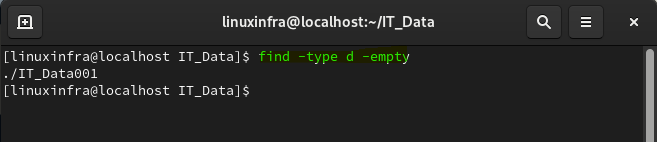
You can find empty files or directories using the -empty option:
find /path/to/search -empty