
The cd command, short for “change directory,” is a fundamental tool that empowers users to traverse the Linux file system with precision and ease. In this blog post, we’ll embark on a journey to explore the nuances and capabilities of the cd command, unlocking its potential for efficient navigation and exploration.
The Essence of cd:
At its core, the cd command is designed to alter the current working directory, allowing users to move seamlessly between different folders and directories. Whether you are a seasoned Linux user or a novice explorer, understanding how to wield the cd command is crucial for efficient command line navigation.
Basic Usage:
The basic syntax of the cd command is straightforward:

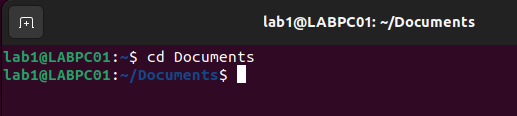
To move into a specific directory, replace [directory_path] with the desired path. We have used cd Documents directory
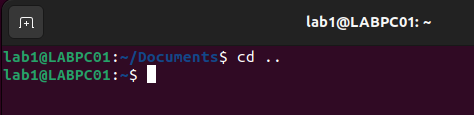
To move up one level in the directory hierarchy, use:
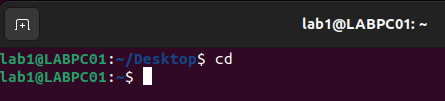
To return to the home directory, simply type:
Absolute and Relative Paths:
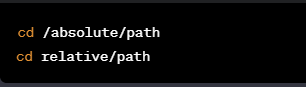
cdsupports both absolute paths (starting from the root directory) and relative paths (starting from the current working directory). Understanding the distinction is key to efficient navigation.
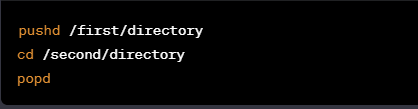
Directory Stacks:
- The
cdcommand can be used in combination with thepushdandpopdcommands to create a stack of directories. This facilitates easy switching between multiple directories.
Conclusion:
Whether you are a developer navigating project directories or a system administrator managing server configurations, mastering the art of changing directories is a fundamental skill. As you embark on your Linux journey, let the cd command be your guiding compass, unlocking the full potential of the command line and ensuring a seamless exploration of the Linux